1. Introduction
Configure Global and Generative AI tool-specific settings in Verax Protect to prevent sensitive data leakage to Generative AI tools.
2. Global settings vs. Generative AI tool settings
Verax Protect lets you configure global settings for your entire Generative AI tool ecosystem. These global settings are passed down to your specific Generative AI tools.
You can modify the individual settings for each Generative AI tool by selecting that Generative AI tool from the navigation bar.
Verax displays the Custom banner when a setting has been changed and no longer matches global settings.
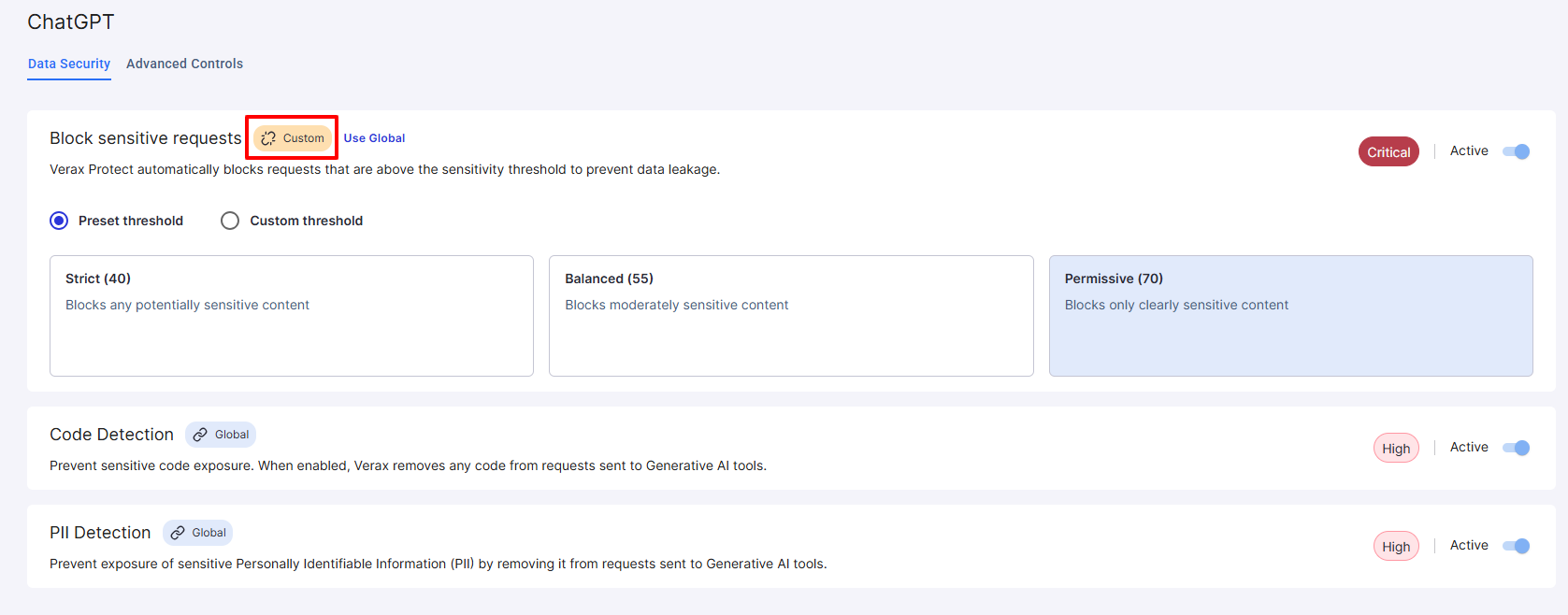
Click Use Global next to any custom setting to revert to global settings.
3. Advanced controls
Verax allows you to control a variety of advanced settings for each Generative AI tool. To configure advanced controls, choose the Generative AI tool under the Protect navigation menu and go to the Advanced Controls tab. The available controls differ based on the Generative AI tool.
Learn more about ChatGPT advanced controls.